The engine.
GPT, Claude and Gemini model names describe systems with different abilities, costs and limits.
THE AI BUYING GUIDE / SEPTEMBER 2026
Which AI plan is worth paying for? Start with the thing you want to do.
Find your plan ↓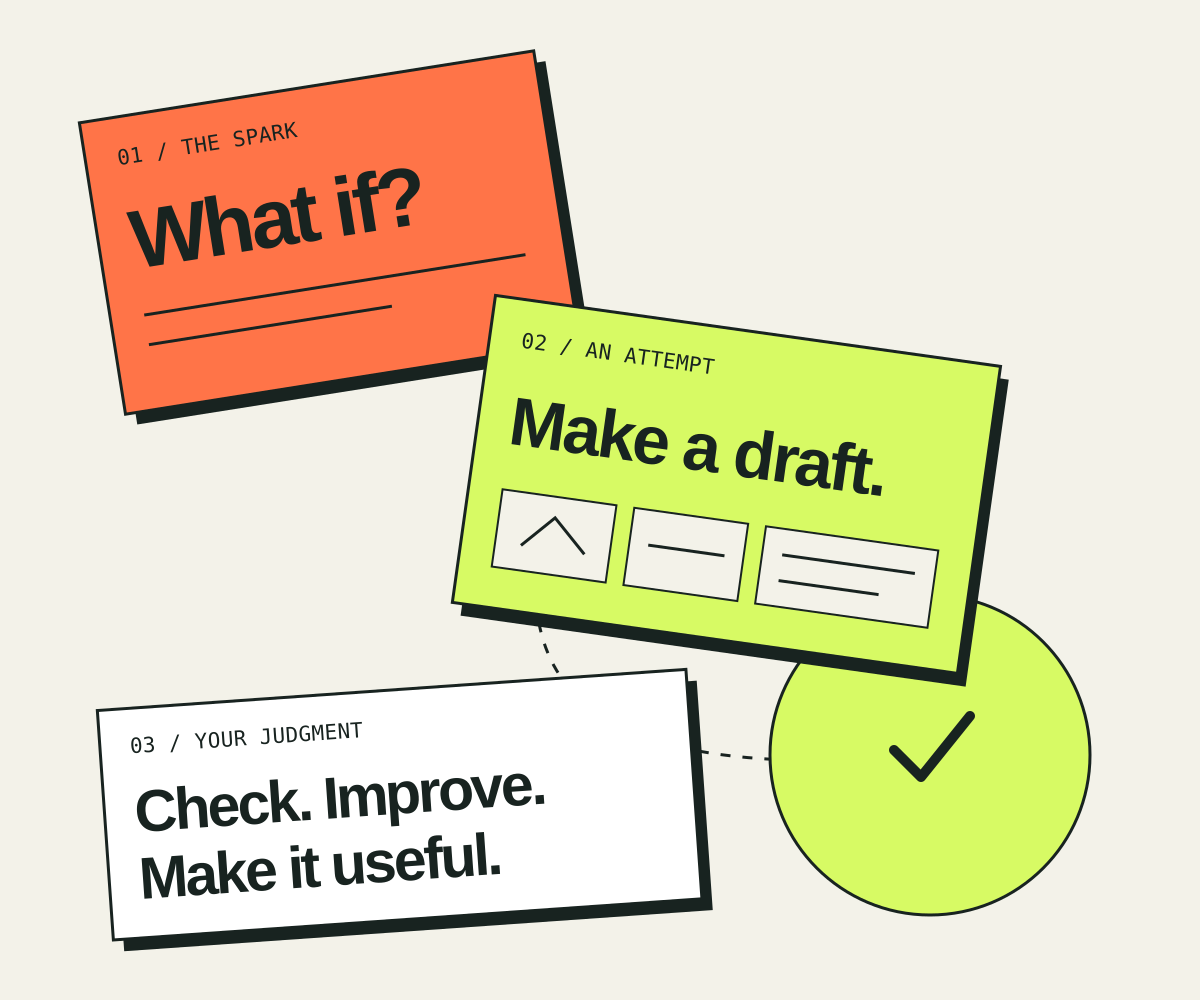
THE POINTCAST TAKE
The interesting part of access to powerful models is how many things become cheap enough to try. A question can become a research brief. A sketch can become a working prototype. A difficult paragraph can get five different openings before lunch.
That changes the cost of a first attempt. It does not remove the work of deciding what matters, recognizing a weak answer or finishing something people can use.
Our starting recommendation: use a free tier, then choose one general plan around $20 a month if you repeatedly hit a useful limit. Add a specialist only when you can name the recurring step it improves. The best model is the one that helps you get an acceptable result with the least total cost—including your review time.
FOUR DIFFERENT PURCHASES
GPT, Claude and Gemini model names describe systems with different abilities, costs and limits.
A monthly app plan bundles a user interface, tools and allowances. It may offer several models.
A legal, design or marketing product adds context and process. It may use the same underlying models.
Software pays for usage. Tokens, search, media and other tools can have separate charges.
Similar output does not make two products equivalent. Permissions, integrations, retention settings, team controls and the work needed to review a result all affect the purchase.
FROM ABSTRACT POWER TO A REAL AFTERNOON
A starting map across work and life. Open the area you care about.
Turn approved customer research into three campaign directions, then a brief and draft assets.
Start with: General assistant + brand brief; add Jasper for repeated team workflow.
Human checkpoint: Check every product claim and measure actual response, not the model’s confidence.
Summarize a permitted call, prepare follow-up options and draft answers from approved documentation.
Start with: Your existing CRM/workspace assistant before another subscription.
Human checkpoint: People approve commitments, pricing and outbound messages; track wrong answers.
Prepare a document inventory, compare clauses and make a question list for counsel.
Start with: Approved general tools for low-risk preparation; evaluate Harvey or Spellbook for legal-team work.
Human checkpoint: A qualified lawyer checks jurisdiction, citations, confidentiality and advice. No plan buys a law license.
Write what happened, separate observations from assumptions and rehearse a kinder opening.
Start with: A journal first; Rosebud for a structured reflection habit.
Human checkpoint: Talk to the person. AI cannot know their motives, replace mutual consent or provide therapy.
Find sources, build an outline, challenge the argument and revise a draft.
Start with: One general plan; Perplexity for search or Elicit for literature-heavy work.
Human checkpoint: Read primary sources, verify quotations and keep your own argument.
Describe one small behavior, build it, inspect the change and run a meaningful check.
Start with: Included coding tools first; compare GitHub Copilot or Cursor for editor fit.
Human checkpoint: Review permissions, dependencies and failure paths before release.
Explore compositions, make a mood board and translate the selected direction into a layout.
Start with: Bundled image tools plus Canva; Midjourney for repeated visual exploration.
Human checkpoint: Check brand accuracy, rights and whether the result actually communicates the idea.
Make a storyboard, test a short sequence and draft narration before production.
Start with: Runway for motion; ElevenLabs for voice only when those are recurring needs.
Human checkpoint: Budget rejected takes and editing time; use voices and likenesses with permission.
Turn notes into a draft action list or route new records through a repeatable process.
Start with: Existing workspace tools; Notion, Otter or Zapier for the missing step.
Human checkpoint: Keep owners, approvals and a visible error log. Automate reversible steps first.
Ask for a hint, attempt the problem and explain the solution back.
Start with: Free learning material; Khanmigo for a guided tutoring workflow.
Human checkpoint: Check understanding without the assistant. Finished homework is not the same as learning.
Organize your own budget categories and compare explicitly stated scenarios.
Start with: A spreadsheet and a general assistant, with formulas checked.
Human checkpoint: Verify arithmetic and assumptions. Use qualified advice for consequential investment or tax decisions.
Organize symptoms and questions for an appointment from notes you choose to share.
Start with: Your own notes and a general assistant for organization, not diagnosis.
Human checkpoint: Confirm medical information with a clinician; do not let a chatbot delay urgent care.
Draft a role brief, prepare consistent questions and summarize job-relevant evidence.
Start with: Approved workspace tools and a clear rubric.
Human checkpoint: People make decisions; check bias, sensitive data and applicable employment requirements.
Plan a trip, compare purchases or turn a large household project into a first step.
Start with: Start free, or use the general plan you already have.
Human checkpoint: Verify opening hours, booking conditions and prices before spending money.
THE SHOPPING SHELF
These are representative options worth comparing, not every AI product on sale. Prices are a dated snapshot; the linked provider page is the buying destination.
Showing all 22 services.
$20/mo Plus · Pro $100 / $200 / $500
Our broad starting point for a mix of writing, analysis, images and building. Free and $8 Go offer lower-cost entry points.
The catch. API usage is separate. Higher plans buy access and capacity; they do not make every answer correct. Check which model and limits your tier includes.
Compare with
Claude for sustained writing and code; Gemini for Google-centered work.
$20/mo Pro · $200/year option
A strong shortlist for document-heavy work, writing and coding. Max tiers start at $100 and $200 monthly when capacity matters.
The catch. Fable access on Pro uses paid usage credits; Max has its own allowance rules. A subscription is not an unlimited API account.
Compare with
ChatGPT or Gemini before adding another general subscription.
$19.99/mo Pro · $199.99/year option
The natural comparison for people living in Gmail, Docs and Sheets. Pro currently bundles 5 TB storage; Ultra starts at $99.99 monthly.
The catch. Personal Google AI and business Workspace are different purchases. App access and API billing are separate.
Compare with
Use the AI and storage already included in your existing workspace first.
$20/mo Pro · $200/year option
Worth a look when finding, following and organizing sources is the main job. The search-first interface is the reason to compare it.
The catch. A citation is a route to evidence, not proof that the attached sentence is right. Open important sources.
Compare with
The web research tools in your existing general assistant.
$30/mo SuperGrok · $100/mo Plus
Consider it if the combination of web and X search fits your research habits. Free access makes an initial comparison possible.
The catch. The consumer pricing page lists Grok 4.6; do not assume the API’s 4.7 is included in every app tier. Search access still needs source checking.
Compare with
Perplexity for source discovery, or a general assistant you already pay for.
$21/user/mo list · annual commitment
A workspace purchase for teams whose material and daily work already live in Microsoft 365. Integration may matter more than a marginal model preference.
The catch. A qualifying base Microsoft 365 license costs extra. The page also advertises promotions; we use the $21 list price rather than the temporary $18 offer.
Compare with
Eligible work accounts may already have Copilot Chat; check before upgrading.
$20/mo Pro · $40/user/mo Teams
An editor-centered way to keep AI close to code, context and changes. Pay for the workflow if it helps you finish and inspect real work.
The catch. Usage and add-ons can add cost. Generated changes still need review, meaningful tests and release checks.
Compare with
Codex or Claude Code if already included in your plan; GitHub Copilot.
$10/mo Pro · $39 Pro+ · $100 Max
The lower-priced paid coding entry in this selection. A sensible first comparison for someone already using GitHub and a supported editor.
The catch. Premium work draws on credits and plan allowances. “AI included” does not mean unlimited use of every model.
Compare with
Try the free tier, or compare the coding tools in an existing general plan.
$69/seat/mo · $59/mo billed annually
A specialist to evaluate when a team repeatedly needs branded campaign work and a consistent process, not just one clever headline.
The catch. The extra subscription needs to earn its place through reusable brand context and workflow. It cannot promise conversion lift.
Compare with
A general assistant plus an approved brand brief and editorial checklist.
Free · paid US price at checkout
Useful when the output needs to become a real social post, slide or branded layout. Templates and editing can be more useful than another chat window.
The catch. The pricing page localized outside the US during our check, so we do not quote a US price. AI passes or top-ups may add cost.
Compare with
Your current design tool plus the image features in a general subscription.
$10/mo Basic · $30 Standard · $60 Pro
Our specialist shortlist for visual exploration: compare many moods, compositions and directions before commissioning the final asset.
The catch. Stealth is restricted to Pro and Mega. Do not assume a private chat means private generations. Check commercial terms for your use.
Compare with
Image generation already bundled with a general assistant.
$15/mo Standard · $12/mo billed annually
For motion studies, short clips and testing a visual idea before a larger production. Standard includes a credit allowance.
The catch. Video iteration spends credits quickly; rejected takes cost something too. Free credits are a one-time allowance, not a monthly production budget.
Compare with
A storyboard, still images and your existing editor before paying for generated motion.
$6/mo Starter · $22/mo Creator
A specialist shortlist for narration, voice production and dubbing workflows. Starter includes commercial licensing under its terms.
The catch. The $11 Creator offer is first-month pricing, not the recurring price. Credits are shared across products; clone voices only with appropriate permission.
Compare with
Record your own voice, or use existing narration tools when the job is simple.
Business from $20/member/mo · confirm term
A candidate when the team’s notes and knowledge already live in Notion. The value is finding and working with that shared context.
The catch. Free and Plus offer AI trials rather than the full Business bundle. Confirm billing term, seat count and any additional agent charges at checkout.
Compare with
Your current workspace search and an assistant working on selected documents.
$33.33/mo Pro equivalent · billed annually
Useful when a repeatable task crosses several apps. Start with one observable workflow, such as preparing a draft from a new approved record.
The catch. Agent activity allowances, automation tasks and external model costs are different meters. A connected tool can also make a wrong action faster.
Compare with
A deterministic automation for predictable steps; add AI only where interpretation helps.
Free · Pro displayed from $8.33/user/mo
A meeting-focused comparison for transcription and turning conversation into follow-up material. Especially useful when missed details create work.
The catch. Confirm billing term and regional price before buying. Check minutes and meeting limits, and obtain the recording permissions the meeting requires.
Compare with
Meeting notes or transcription already included with your workplace tools.
$11/user/mo Plus · $132 billed annually
For literature discovery and structured extraction from research papers. Pro is $39/user/month equivalent, billed $468 annually.
The catch. A retrieved paper is not a settled conclusion. Read methods, applicability and limitations before relying on extracted findings.
Compare with
General search and a reference manager for lighter research.
Custom quote
A legal-team procurement candidate for specialized knowledge work and workflows. Evaluate it with representative, approved matters and the people who will review output.
The catch. No public list price was verified. Ask about seats, onboarding, integrations, data handling and the full contract cost.
Compare with
Existing legal research tools; a general assistant only within the firm’s approved boundaries.
Custom per-seat quote
A focused comparison for legal teams drafting and reviewing contracts. Workflow fit can be worth more than buying a second general chatbot.
The catch. A seven-day trial is advertised for lawyers and legal teams. Have a qualified reviewer check jurisdiction, citations, obligations and negotiated language.
Compare with
Your existing contract tools and approved document assistant; neither replaces legal judgment.
$12.99/mo Bloom · $107.99/year option
Our first comparison for reflective use: journaling, spotting your own patterns and preparing to say something clearly to another person.
The catch. Treat intimate entries as sensitive data. A useful reflection is not a diagnosis, a therapist’s assessment or knowledge of someone else’s intentions.
Compare with
A private journal, a general assistant for low-sensitivity rehearsal, and a real conversation.
Free · paid price in app
A companionship product, which is a different purchase from a work assistant. Try only with a clear idea of what you want from the interaction.
The catch. Paid prices vary by offer and platform; we do not invent a universal figure. Keep human relationships central and review privacy and recurring billing.
Compare with
Journaling or conversation practice; professional support when that is what you need.
$4/mo learner/parent · $44/year option
The low-cost specialist shortlist for guided learning. Teacher tools are free; learner and parent access has separate eligibility rules.
The catch. Confirm country and age eligibility. Judge it by whether you can explain and solve the next problem yourself.
Compare with
Free Khan Academy lessons or an assistant asked to teach through questions.
No services match that search. Try another term or choose all areas.
THE ENGINE ROOM
Best for what? A difficult contract question, a thousand short classifications and a visual mood board are different tests.
For text and code, these seven models form a useful comparison set. The roles below are editorial judgments informed by provider documentation, not a PointCast benchmark. Image, video and voice systems have different outputs and billing units; compare them through the specialist workflows above.
| Model / role | Input | Output | 100 example jobs* |
|---|---|---|---|
| GPT-6 Astra ↗Hard, consequential knowledge work | $10.00 | $50.00 | $40.00 |
| GPT-6.1 Sol ↗Everyday professional throughput | $2.00 | $10.00 | $8.00 |
| Claude Fable 5.1 ↗Difficult reasoning and agent work | $10.00 | $50.00 | $40.00 |
| Claude Opus 5.5 ↗Complex coding and document work | $4.00 | $20.00 | $16.00 |
| Claude Sonnet 5.5 ↗Balanced recurring tasks | $2.00 | $10.00 | $8.00 |
| Gemini 3.8 Flash ↗Price-sensitive volume | $0.75 | $3.75 | $3.00 |
| Grok 4.7 ↗Another reasoning and tool-use comparison | $2.00 | $6.00 | $6.40 |
*Each hypothetical job uses 20,000 input tokens and 4,000 billed output tokens. Output may include billed reasoning tokens. No cache, batch discount, retries, search, media, storage, tax or orchestration is included. Equal token counts do not mean equal results. Gemini’s listed $0.75 / $3.75 rates apply through December 31, 2026; its published January 2027 rates double.
A candidate for difficult synthesis, coding and multi-step work when extra reasoning is worth the price. Test the quality gain against cheaper options.
Our OpenAI starting comparison for repeated work: a much lower unit price than Astra. Escalate only the tasks where a stronger result earns the difference.
Anthropic’s premium candidate for demanding tasks. Compare against Opus on your documents and code before paying the higher rate.
A middle price point in this shortlist for extended work. A sensible comparison when the cheapest model needs too much correction.
A lower-cost Claude candidate for a repeatable workflow. Measure acceptance rate and review time, not merely how fast the first answer appears.
The lowest listed unit cost here during its current pricing window. Google lists a doubling to $1.50 input / $7.50 output from January 1, 2027.
An alternative API candidate with relatively inexpensive output in this set. Current web or X information requires the relevant search tools; it is not automatic knowledge.
A small model that correctly handles a routine task can be a better purchase than a premium model. A stronger model can be cheaper overall if it avoids an hour of repair. Compare ten representative examples: acceptance rate, factual errors, review minutes, latency and total bill. Give each candidate the same source material and a clear definition of success.
Open-weight models are another route if you can operate them. Access to weights does not eliminate hardware, hosting, security or maintenance costs. Privacy also depends on where and how you run the system. For most people choosing a first plan, an existing hosted tool is a simpler experiment.
THE PERSONAL MATH
Estimate capacity, not promised income. Saved time only becomes money if you can actually redeploy it.
Use incremental hours saved compared with how you work today. Subtract checking and repair time. Subscription and extra usage costs recur even in a quiet month.
THREE SENSIBLE STARTS
Try free general tools on real, low-sensitivity tasks. Keep the one that helps you finish something. Learn its limits before adding a bill.
Choose ChatGPT Plus, Claude Pro or Google AI Pro for your actual mix of work. Compare outputs and workflow; do not assume you need all three.
One $20 general plan, $10 Midjourney Basic and $15 Runway Standard at monthly rates. Add the specialists only if you repeatedly need their outputs; allowances and extra usage still apply.
WHY THIS IS INTERESTING
The opportunity is not to collect access badges. It is to do work you used to postpone: build a small tool, understand a dense document, rehearse a difficult conversation, or test an idea before spending a week on it.
Choose one real task. Give it good material. Make a first attempt. Check the result. Keep the part that helps. That is a much better reason to subscribe than a model name at the top of a leaderboard.
Research-based buying guide using official provider pages, checked September 29, 2026. Recommendations are editorial judgments about task fit, not hands-on benchmarks or an exhaustive market ranking.
Mike Hoydich supplied the editorial direction and requested this guide. Codex researched and wrote it. This attribution does not claim that Mike personally tested or endorsed every product. We received no review access or compensation for this guide.
US dollar list prices before tax where verified. Annual equivalents require annual payment or commitment. Regional offers, usage limits and model availability can change. All shopping links are direct and non-affiliate. “From” prices are entry points rather than a complete bill. Where regional localization, checkout-only pricing or a sales process prevented a firm US quote, the card says so. No affiliate account or tracking code is attached.
Provider descriptions establish availability and advertised capabilities; the recommendations, comparison paths and examples are our editorial synthesis. Prices and model names can change quickly. Re-check a provider’s page before payment, including renewal, cancellation, seats, usage and data settings.
Additional checks: Claude plan tiers · Jasper annual billing · OpenAI model guide.
Read the complete guide as JSON ↗